-
-
-
- Resources
-
 Customers purchase products with digital discovery. Get listed on the go-to marketplace where customers discover new-age software solutions.
- B2B Marketplace Expand Business Horizons
- Billing Management Maximize Revenue with Simplicity
- Provisioning Automation Automate Deployments, Scale Faster
- Order Management Efficient Order Processing
- Customer Self-Service Panel Enable Seamless Customer Self-Service
- Multi-tier partner management Efficiently Manage Partner Networks
- Support Process Management Enhance and Streamline Support Workflows
- Affiliate Marketing Platform Boost ROI with automation
- Business Intelligence Real-time insights for growth
- Marketing AutomationAutomate, engage, and convert
- Business AccelerationAccelerate growth and expand
- Business Facilitation Services Powering cloud business success
- About us
- Partner with us


Kaspersky Antivirus for Servers

All-round protection against cyberattacks - today and tomorrow
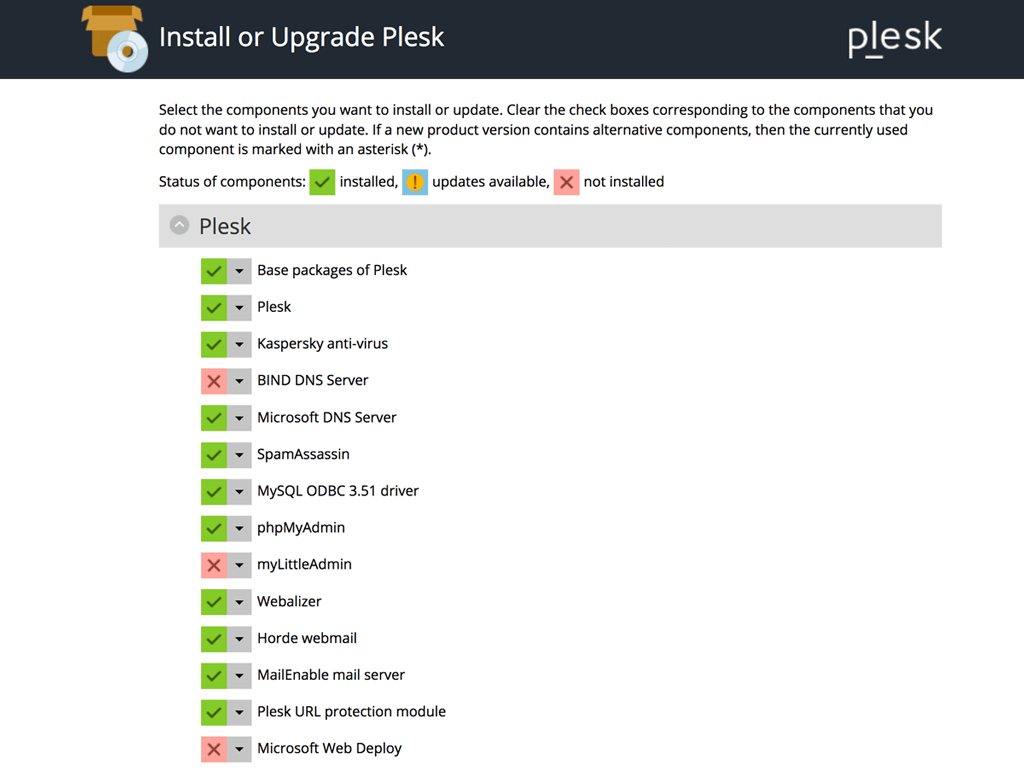
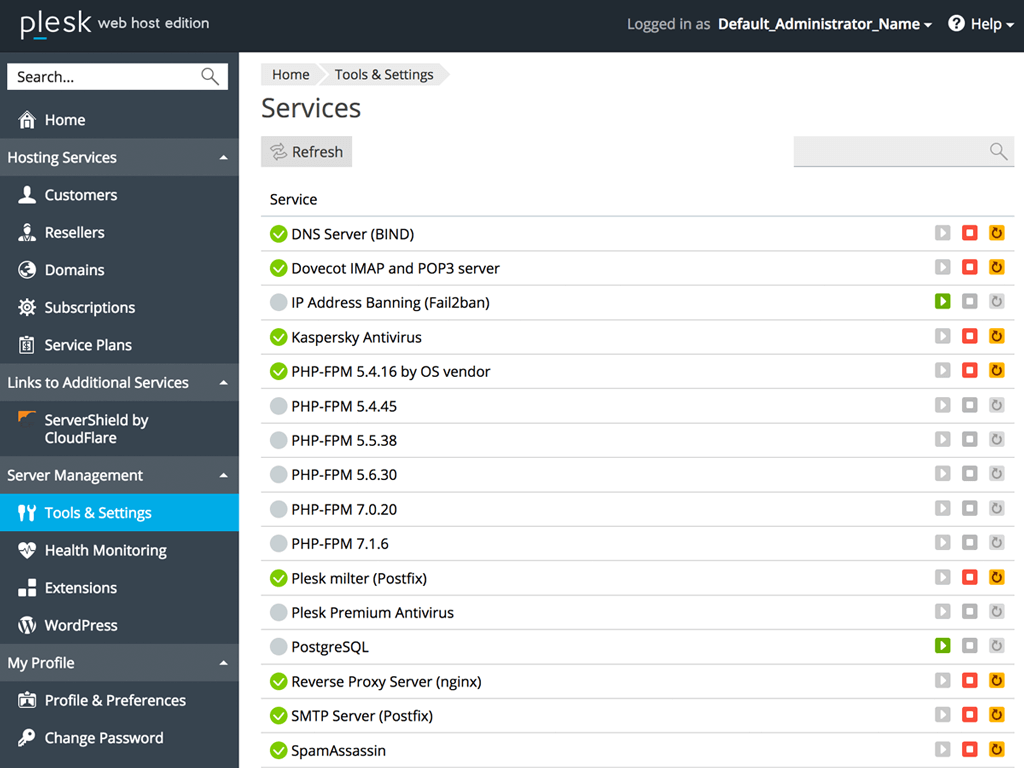
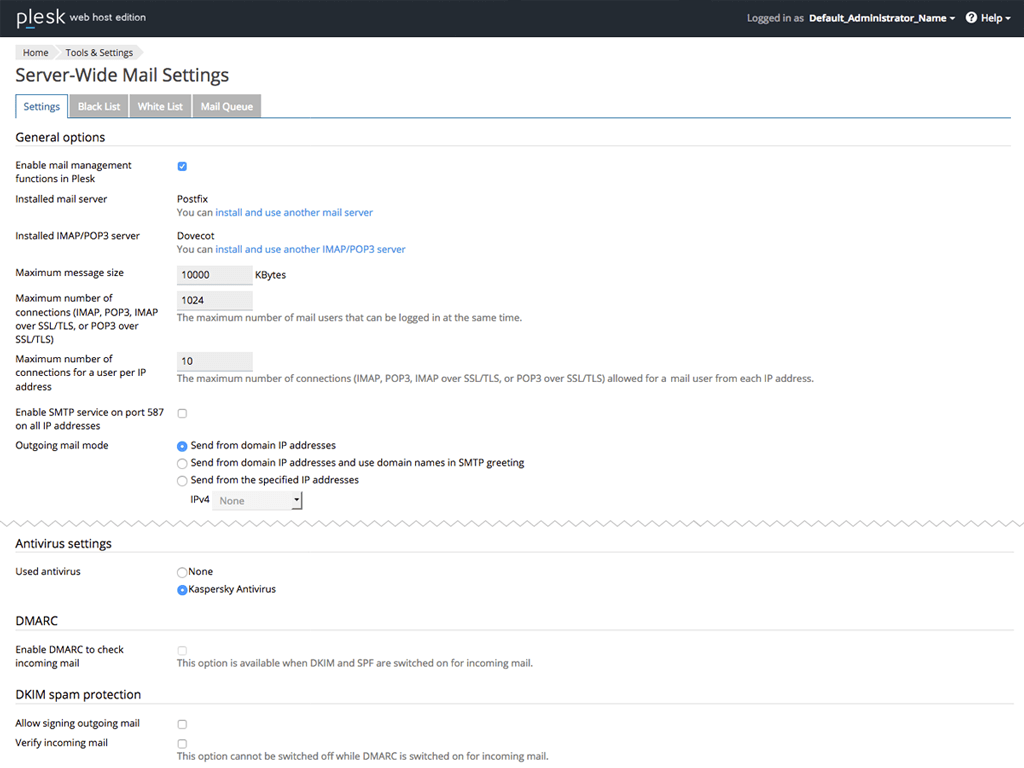
With Kaspersky Antivirus, you can safeguard your servers from traditional as well as new age threats. Via Plesk, your Kaspersky Antivirus protection can be enabled in few simple steps:
- Install the component of Kaspersky Antivirus.
- Buy a license key for Kaspersky Antivirus for Servers.
- Deploy the license key.
- Go to Mail Server Settings and select Kaspersky Antivirus under "Antivirus Settings".
Kaspersky Antivirus is available as an addon with
Benefits of Plesk Kaspersky Antivirus by ZNetLive

Complete protection
Kaspersky Antivirus extension scans all incoming and outgoing mail traffic on your server.

Malicious code removal
Your email messages are scanned to keep you safe from potentially dangerous and malicious code.

Automated safety
It updates virus signatures automatically.